
Let us Help you with you next ICT Project
Fun Promotions !!
No transport cost for all new customers
Already a customer? save points and win super prices.
Our Services
IT Infrastructure
Reliable IT Infrastructure, the core of your companyIT Infrastructure
From PC to Servers,
WiFi, Switches, Storage, vSAN
Virtualisation and much more,…
We manage, install and monitor your intire infrastructure
IT Support and Helpdesk
Your IT problems are our IT problemsIT Support and Helpdesk
Onsite: A technician will handle your problems onsite and solve all your IT problems and any question you may have?Online: Our helpdesk is always ready to solve your IT problem or answer your questions
Fixed price per month.
Security
We help you with the security of your network or companySecurity
Spamfilters, load balancers and web filters
From firewalls to antivirus
Professional Camera Security
Power Security with UPS Systems from Eaton and APC
Cloud Services
Your backup or Servers in the cloud. See all of our servicesCloud Services
Backup as a Service, Disaster recovery
Infrastructure as a Service with VMware or Azure
Office 365, Exchange hosting
Software as a Service
VDS Systems
Work towards your IT for tomorrow.






Synergent Selects VMware NSX for Network Micro-Segmentation in the Data Center
Synergent Selects VMware NSX for Network Micro-Segmentation in the Data Center
P2V Windows 2000 server – vSphere 5.1
I came across a customer where 10 servers were still running on windows 2000 server I used VMware vSphere 5.5 so you can't use VMware convert 5 or higher because windows 2000 isn't supported anymore. here are the steps i made make sure all the windows 2000 server are on SP4 (http://www.microsoft.com/en-ca/download/details.aspx?id=4127) and Update rollup 1 (http://www.microsoft.com/en-us/download/details.aspx?id=18997) make sure you stop service that can cause problems ( antivirus, SQL, exchange, oracle,..) install VMware convertor 4.0.1 on your windows 2000 server install sysprep tools on the sever where you installed convertor 2003 : Path : C:Documents and SettingsAll UsersApplication DataVMwareVMware vCenter Converter Standalonesysprep2k 2008 : C:ProgramDataVMwareVMware vCenter Converter Standalonesysprep2k start to convert your machine but chose local machine to workstation image. place the image on a shared disk over the network not on local disk since the windows 2000 disks might be too small. on another pc over you can use [...]
Install Windows server ROK/OEM on Vmware
Install Windows server ROK/OEM on Vmware I know there is alot of other blogs about this but i always forget it until i look at the label and see ROK. but the blog is mostly a reminder for me, but feel free to use it Symptoms IBM Debug Assertion Failed! Program: x:toolsBIOSCHECK64.exe File: c:Program Files (x86)Microsoft Visual Studio 10.0VCatlmfcincludeatlsmpstr.h Line:112 Expression: nRefs !=0 For information how your program can cause an assertion failure, see the Visual C++ documentation on asserts. (Press Retry to debug the application)" Lenovo HP Installation of Microsoft Software Products Sold by HP (as OEM) on Virtual Machines Is Now Supported Solutions i know 2 ways to resolve this issue but make sure you turn off the vm for both solution solution1: Add the following line to the configuration file (.vmx) for each virtual machine: SMBIOS.reflectHost=TRUE solution 2: Use the vi client or the webclient to add [...]
Projects
Hosted Exchange 2010 to 2013 (Multi tenant) with VMware vSphere 5.5
Project description
Preparation
This is an overview of the project and not a technical document how to migrate to Exchange 2013. In the past we setup a multi tenant environment with Exchange 2010. At that time there was only resources for 1 physical server, wich was sufficient at the time […]
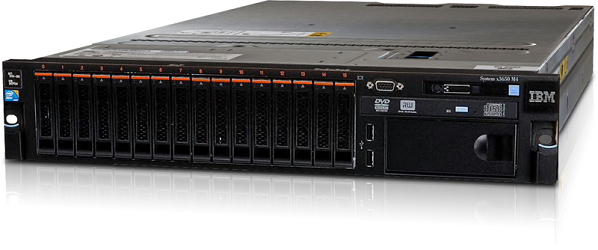
IBM V3700 iSCSI and IBM System x3650 M4
Project description
The Lay-out
We chose this project because we could reduce the cost by selecting iSCSI over fiber
- The environment existed of a mix of Windows 2000, 2003 and 2008 servers.
- Big files and home folders of several GB to 4TB.
- The existing ERP Software had to keep working […]

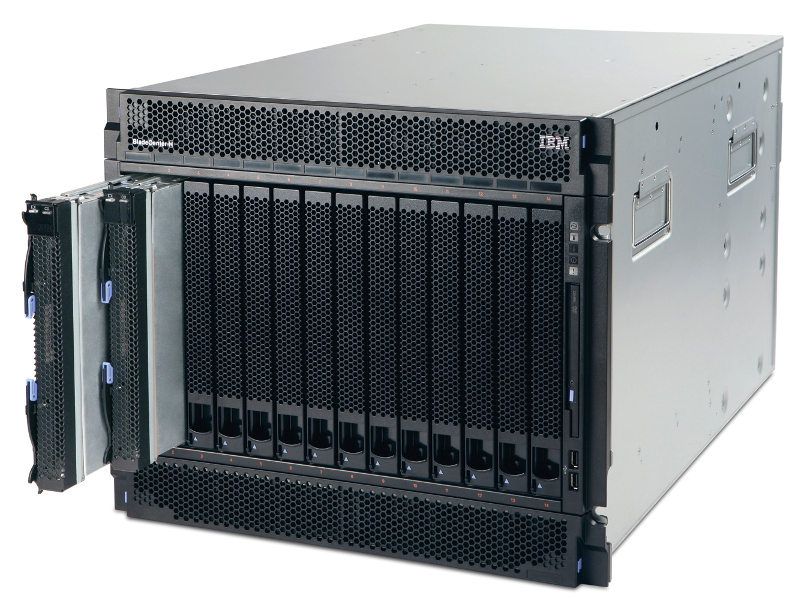
Lenovo/IBM BladeCenter H
Project description
To be honest the racks were full of old server that havent been touch in over 10 to 15 years. So there were big HP server G2 and G4 generation among them, wich made it easy to reclaim so much rack space. Non the less its was […]