
Let us Help you with you next ICT Project
Fun Promotions !!
No transport cost for all new customers
Already a customer? save points and win super prices.
Our Services
IT Infrastructure
Reliable IT Infrastructure, the core of your companyIT Infrastructure
From PC to Servers,
WiFi, Switches, Storage, vSAN
Virtualisation and much more,…
We manage, install and monitor your intire infrastructure
IT Support and Helpdesk
Your IT problems are our IT problemsIT Support and Helpdesk
Onsite: A technician will handle your problems onsite and solve all your IT problems and any question you may have?Online: Our helpdesk is always ready to solve your IT problem or answer your questions
Fixed price per month.
Security
We help you with the security of your network or companySecurity
Spamfilters, load balancers and web filters
From firewalls to antivirus
Professional Camera Security
Power Security with UPS Systems from Eaton and APC
Cloud Services
Your backup or Servers in the cloud. See all of our servicesCloud Services
Backup as a Service, Disaster recovery
Infrastructure as a Service with VMware or Azure
Office 365, Exchange hosting
Software as a Service
VDS Systems
Work towards your IT for tomorrow.






Upgrade vCenter operations manager to vRealize operations manager (vCops 2 vRops)
How to upgrade your vCops to vRops When you are still running vCOPS 5.8 then at some point you will need to upgrade to vRealize operations manager 6. Here is how you do it. first download your ova file from vmware and then deploy the OVA file. First you will have to accept the "end user License Agreement" and in the next step you can select a name and datacenter you want to deploy in. I left the name as default but maybe you want to give it another name thats up to you to decide. Then you need to choose your correct configuration. Select what best fit your environment. for the most of you a small deployment will be enough. there is also an option to have remote collectors in different datacenter or maybe with external customers running vSphere 5.x. After that its just selecting your cluster to deploy [...]
vCenter server to vCenter Virtual Appliance convertor – VCS to VCVA convertor
Since Vmware vSphere 6 is released the vCenter Virtual appliance (VCVA) has the same specifications as the Vmware vCenter installed on windows (VCS). So you can install the VC virtual appliance without to worry about limitations and also one windows server license less to buy. Downside is that there is nog migration path from VCS to VCVA, so before you upgrade to vSphere 6 you can first migrate to a VCVA 5.5 and the upgrade your virtual appliance to vSphere 6. there is a cool tool do this from Vmware fling website "The VCS to VCVA Converter Appliance is the winning idea from the 2013 Fling Contest. It allows customers to migrate from Windows vCenter Server with an External Microsoft SQL Server Database to the vCenter Server Appliance with an embedded vPostgres database. The Fling migrates the vCenter database, roles, permissions, privileges, certificates and inventory service. The target appliance will run [...]
Nested ESXi and EVC cluster – error adding ESXi to EVC Cluster
When you setup a home lab and you created nested ESXi host, then at certain point you want to create a EVC cluster to begin testing all features. but when you add an ESX host you get following error. 'The host's CPU hardware should support the cluster's current Enhanced vMotion Compatibility mode, but some of the necessary CPU features are missing from the host. Check the host's BIOS configuration to ensure that no necessary features are disabled (such as XD, VT, AES, or PCLMULQDQ for Intel, or NX for AMD). For more information, see KB articles 1003212 and 1034926.' To solve this you need to set the advanced CPUID Mask on the nested esxi VM. 1) First you need to lookup your EVC CPUID details. In the vSphere Web Client: Go to Home - Hosts and Clusters and select your Cluster, on the manage tab select settings and then under Configuration section select VMWare [...]
Projects
Hosted Exchange 2010 to 2013 (Multi tenant) with VMware vSphere 5.5
Project description
Preparation
This is an overview of the project and not a technical document how to migrate to Exchange 2013. In the past we setup a multi tenant environment with Exchange 2010. At that time there was only resources for 1 physical server, wich was sufficient at the time […]
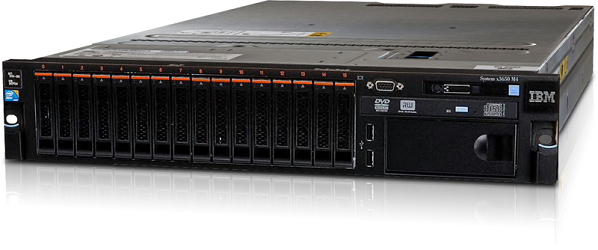
IBM V3700 iSCSI and IBM System x3650 M4
Project description
The Lay-out
We chose this project because we could reduce the cost by selecting iSCSI over fiber
- The environment existed of a mix of Windows 2000, 2003 and 2008 servers.
- Big files and home folders of several GB to 4TB.
- The existing ERP Software had to keep working […]

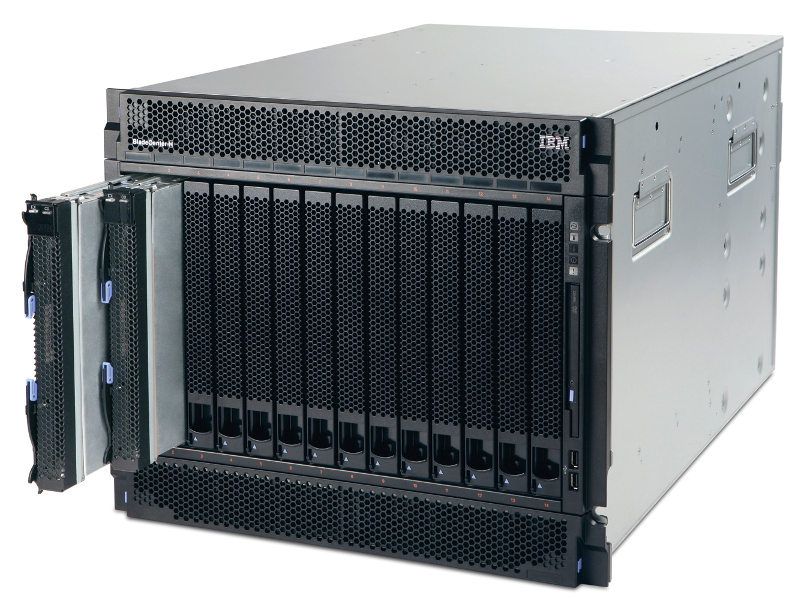
Lenovo/IBM BladeCenter H
Project description
To be honest the racks were full of old server that havent been touch in over 10 to 15 years. So there were big HP server G2 and G4 generation among them, wich made it easy to reclaim so much rack space. Non the less its was […]