
Let us Help you with you next ICT Project
Fun Promotions !!
No transport cost for all new customers
Already a customer? save points and win super prices.
Our Services
IT Infrastructure
Reliable IT Infrastructure, the core of your companyIT Infrastructure
From PC to Servers,
WiFi, Switches, Storage, vSAN
Virtualisation and much more,…
We manage, install and monitor your intire infrastructure
IT Support and Helpdesk
Your IT problems are our IT problemsIT Support and Helpdesk
Onsite: A technician will handle your problems onsite and solve all your IT problems and any question you may have?Online: Our helpdesk is always ready to solve your IT problem or answer your questions
Fixed price per month.
Security
We help you with the security of your network or companySecurity
Spamfilters, load balancers and web filters
From firewalls to antivirus
Professional Camera Security
Power Security with UPS Systems from Eaton and APC
Cloud Services
Your backup or Servers in the cloud. See all of our servicesCloud Services
Backup as a Service, Disaster recovery
Infrastructure as a Service with VMware or Azure
Office 365, Exchange hosting
Software as a Service
VDS Systems
Work towards your IT for tomorrow.






vcenter 5.5 email alerts for all alarms
vSphere Email alerting In the past i was always modifying every alert with email notification. this takes a lot of time to do. So i went to look on the internet and few smart people out there already wrote this script! so I want to thank these people for there help and knowledge: Lauren Malhoit and Mehdi Kianpour The script that you can download here, is for vSphere 5.5. So keep in mind that you need other script if you are running vSphere 5.0 or 5.1 or vSphere 4.1 Remark: The script ran with errors but kept going in most of my environments, but it modified all my alarms i set in the script
Vendor Customized ESX images
When you install ESXi 5.x from vmware you don't have all the plug-ins or modules that a vendor customized ESX images has. Why you ask? well you might want to monitor your ESX host with HP insight manager, IBM System Director or other management software. Or want to update your drivers and firmware with update software of the vendor, with this customized images of the vendor yo don't need to install de additional plug-ins. here are some links to the vendors i use the most ( at the time of writing ESXi 5.5 update 1 was out) IBM VMware vSphere hypervisor (ESXi) HP Customized ESXi Image (HP site) or HP Customized ESXi Image (vmware site) DELL Customized ESXi Image Cisco Customized ESXi image there might be other images but these are the most used i think hope this helps
Backup free vmware ESXi 5.x standalone server
hello some of my customers has stand alone servers running only 3 or 4 vm machines on it and ESXi host is installed with a free license key. Since these vm's needed to be backed up I tried 2 backup solutions: veeam 6 and backup exec 2014 first I tried backup exec 2014. it just wouldn't backup and de snapshot wasnt possible Second I tried veeam backup. most of the time this product works well for me, but I was wrong. it also failed to back up veeam was more clear in the error. it said that the license of the esx just was not supported. so I added a NFR esxi standard license on the host and voila backup exec 2014 and veeam can back up now If anyone else had this problem im curious to found out how you solved it or if you experienced similar. so leave [...]
Projects

Hosted Exchange 2010 to 2013 (Multi tenant) with VMware vSphere 5.5
Project description
Preparation
This is an overview of the project and not a technical document how to migrate to Exchange 2013. In the past we setup a multi tenant environment with Exchange 2010. At that time there was only resources for 1 physical server, wich was sufficient at the time […]
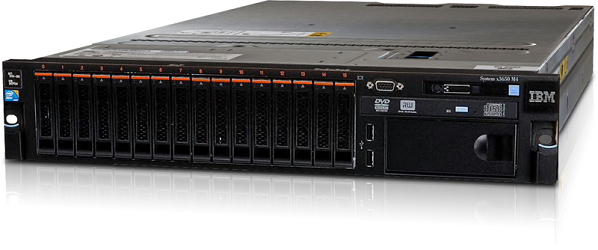
IBM V3700 iSCSI and IBM System x3650 M4
Project description
The Lay-out
We chose this project because we could reduce the cost by selecting iSCSI over fiber
- The environment existed of a mix of Windows 2000, 2003 and 2008 servers.
- Big files and home folders of several GB to 4TB.
- The existing ERP Software had to keep working […]

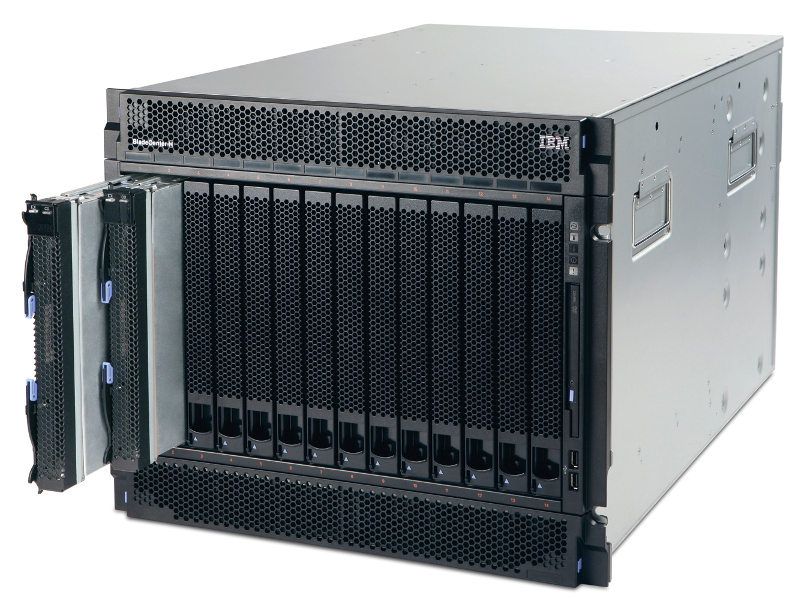
Lenovo/IBM BladeCenter H
Project description
To be honest the racks were full of old server that havent been touch in over 10 to 15 years. So there were big HP server G2 and G4 generation among them, wich made it easy to reclaim so much rack space. Non the less its was […]