
Let us Help you with you next ICT Project
Fun Promotions !!
No transport cost for all new customers
Already a customer? save points and win super prices.
Our Services
IT Infrastructure
Reliable IT Infrastructure, the core of your companyIT Infrastructure
From PC to Servers,
WiFi, Switches, Storage, vSAN
Virtualisation and much more,…
We manage, install and monitor your intire infrastructure
IT Support and Helpdesk
Your IT problems are our IT problemsIT Support and Helpdesk
Onsite: A technician will handle your problems onsite and solve all your IT problems and any question you may have?Online: Our helpdesk is always ready to solve your IT problem or answer your questions
Fixed price per month.
Security
We help you with the security of your network or companySecurity
Spamfilters, load balancers and web filters
From firewalls to antivirus
Professional Camera Security
Power Security with UPS Systems from Eaton and APC
Cloud Services
Your backup or Servers in the cloud. See all of our servicesCloud Services
Backup as a Service, Disaster recovery
Infrastructure as a Service with VMware or Azure
Office 365, Exchange hosting
Software as a Service
VDS Systems
Work towards your IT for tomorrow.






VMware PowerCLI 6.5 Add-PSSnapin not working
hello when you upgrade to POWERCLI 6.5 then you probably need to edit your scripts the Add-PSSnapin doesn't seem to work anymore replace it with Get-Module –ListAvailable VM* | Import-Module say farewell to snapins article here
Failed to connect virtual device ‘ethernet0’
Failed to connect virtual device 'ethernet0' It seems this error is still turning up in vSphere 6.5. I'm running vSphere 6.5.0.5400. I couldn't get the VM connected, so after some searching i came across this blog on the VMware community here. Seems it has something to do with VMRC 9.0. now if you read the post you come to the comment of Czernobog. at the end he had to use the fat client. Since you cant connect with the fat client to a vSphere 6.5 i had to use the web client HTML5 not the flash. Edit the vm en now i could get the vm connected to the network again Lets hope VMRC 10 comes out quickly or de HTML5 interface gets full features.
ESXi 6.0 upgrade to ESXi 6.5: The upgrade contains the following set of conflicting VIBs
The upgrade contains the following set of conflicting VIBs when i tried to upgrade my ESXi host to 6.5 i ran in the error The upgrade contains the following set of conflicting VIBs: HUAWEI_bootbank_hio_2.0.0.42-1OEM.550.0.0.1331820 HUAWEI_bootbank_hio_2.0.0.42-1OEM.550.0.0.1331820 Remove the conflicting VIBs or use Image Builder to create a custom upgrade ISO image that contains the newer versions of the conflicting VIBs, and try to upgrade again. so lets remove the vib set your ESXi host in maintenance mode because you will need to reboot enable SSH if its not enabled already ofcourse putty into your esxi host list the vib containing HUAWEI: esxcli software vib list | grep HUAWEI remove the VIB file: esxcli software vib remove -n hio reboot you now should be able to upgrade to ESXi 6.5
Projects

Hosted Exchange 2010 to 2013 (Multi tenant) with VMware vSphere 5.5
Project description
Preparation
This is an overview of the project and not a technical document how to migrate to Exchange 2013. In the past we setup a multi tenant environment with Exchange 2010. At that time there was only resources for 1 physical server, wich was sufficient at the time […]
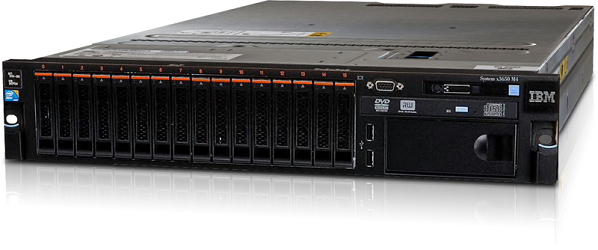
IBM V3700 iSCSI and IBM System x3650 M4
Project description
The Lay-out
We chose this project because we could reduce the cost by selecting iSCSI over fiber
- The environment existed of a mix of Windows 2000, 2003 and 2008 servers.
- Big files and home folders of several GB to 4TB.
- The existing ERP Software had to keep working […]

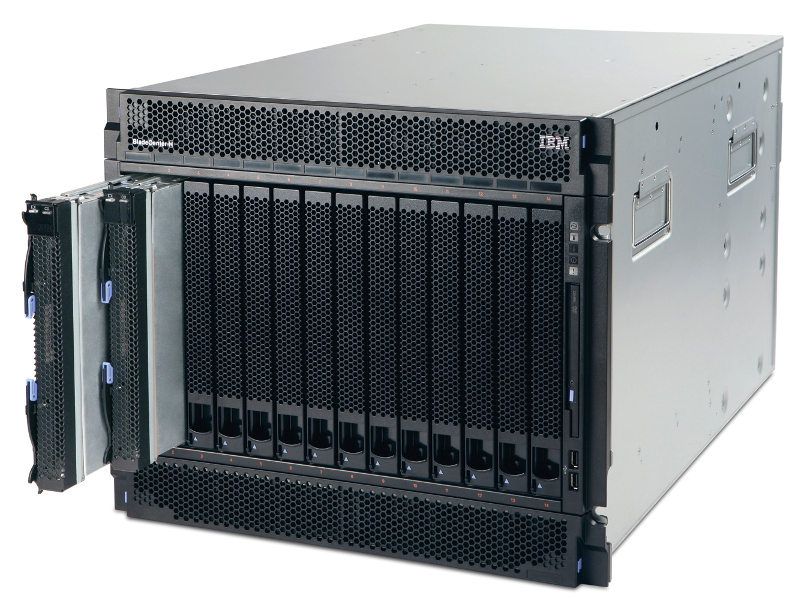
Lenovo/IBM BladeCenter H
Project description
To be honest the racks were full of old server that havent been touch in over 10 to 15 years. So there were big HP server G2 and G4 generation among them, wich made it easy to reclaim so much rack space. Non the less its was […]